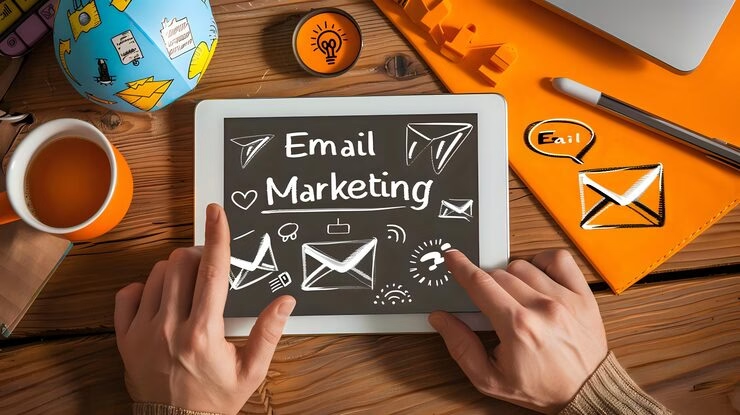
One of the more successful techniques to reach people involves email marketing. It offers the exchange of news, deals, and updates with your customers. But simply sending emails is unnecessary. People have to open them and click on the links therein. Open and click-through rates are important in this situation. This article will explain the importance of these rates along with simple to implement methods for boosting them.
Open and Click-Through Rates: What Are They?
How many people open your email after you upload it is described as the “open rate.” For example, increase your rate by 30% when you send an email to 100 readers and 30 of them decide to open it.
The total quantity of people that clicked on a link in your email is known as the Click-Through Rate, or CTR. Your CTR is 20% if 30 people read your email and 6 of them click on a link.The two numbers are important. They indicate that your emails are interesting and beneficial to the people who receive them.
What Makes These Rates Important?
People cannot read your message if they do not open your email.
They cannot access your website or obtain products if they do not click on your links. Your messages are doing well if they have high open and click rates.
Low rates show a problem, such may have to do with your timing, content, or subject line.
So, improving such numbers aids in audience participation and growing the company.
1. Write an Attractive Subject Line
The initial thing people see is the subject line. It depends if they downloaded the email or skipped it. You can write better subject lines by using these simple tips. Do not write more than fifty characters. Use simple words. Generate interest with no false. Use everything special like the reader’s name. Keep in mind from of unwanted language like “FREE,” “GUARANTEED,” and “BUY NOW.”
For example, think about stating “Sarah, your 20% discount is waiting!” opposed to “Huge Discount on Our Products.” A small improvement can have an important effect.
2. Compose Your Emails
People like to be special. Emails which are specific get more focus.
In the greeting or subject line, provide the name of the person who ordered the item. According to what they like, buy, or do on your website, you can also send them emails.For instance: Provide shoe care advice to everybody who purchased shoes. Send a welcome email with your greatest content if they subscribed to your newsletter. Personal emails seem less like advertisements and more like friends. 
3. Set Up Your Audience
Your list of subscribers cannot be made up of all the same members. Some may be completely fresh and others can have loyal fans. Some goods can appeal to certain persons while not to others. Which is why you should break up your email list into sections and segment your audience. People can be divided by location or age future purchases interests. When do they check their email accounts then send each group another email. People are bound to open and click on messages that are more specific to them in this way.
4. Write Simple and Clear Content
People are busy. They have no interest interested in read lengthy, technical emails. Utilize use of simple words and simple sentences. Format your writing into simple paragraphs. Set up lists to help with reading. Describe to your readers what they will be getting and why it is necessary. If you are marketing a product discuss how it improves someone else. Also, make sure this main message shows next to the top. A good number of people simply read the very first few paragraphs.
5. Add a Strong Call to Action (CTA)
Users are given directions on what to do next by a call to action.
It may be as follows:
“Buy right away”
“Go on reading”
“Buy your guide below.”
“Join Now”
Your CTA must be simple and clear utilize use of action words like “get,” “try,” “learn,” or “discover.”
Add the request to act item in the very center of your email or close to the top for easy display. For people who scroll down, you can also repeated it in the end.
6. Use Right Timing
This matters the moment you send your email. People may skip it if you offer it at an incorrect time .Data show that on weekdays, mid-morning or early afternoon are often the most suitable time. But it can change due to your audience of choice. Try sending emails at multiple moments and on different days. Then, identify which one has the best interest and open rates. Both versions are examined to find which perform better; this has become known as A/B testing.
7. Change Your Emails to Mobile Devices
The most people depend on their phones to check their emails. People will delete your email if it reads bad on a small screen. Here’s how to update your emails for mobile devices. Apply a simple, one-column form. Check that the text is clear. Check that the buttons are properly sized for quick typing. Always ensure that your subject lines are short enough to be read on the screen. Before sending, always evaluate your email on a computer and a phone.
8. Put in Apply of an Attractive Header
The short piece of text that shows in the inbox next to or below your subject line is called as the heading. People are more ready to open your email as an outcome. For example “Your Free Guide Is Ready” is the topic of the article. “Click to download your personal copy today,” reads the heading. The heading and subject line match each other to attract in eyes.
Conclusion
Some people end up checking your emails. Others may change their email address.
Your open rate will go down if you keep sending to these expired addresses. Further, it could affect your sender’s reputation. Every few months, update your list. People who not read your emails in some time should be deleted. When deleting them, you can also send a “We miss you” email. For an example: “Hey John, We observed that you have not replied to our emails today. Do you want stay on our list? This preserves the health and motion of your list.