The world’s oldest cave art – a skeleton of a human hand – has been discovered in Indonesia, scientists say

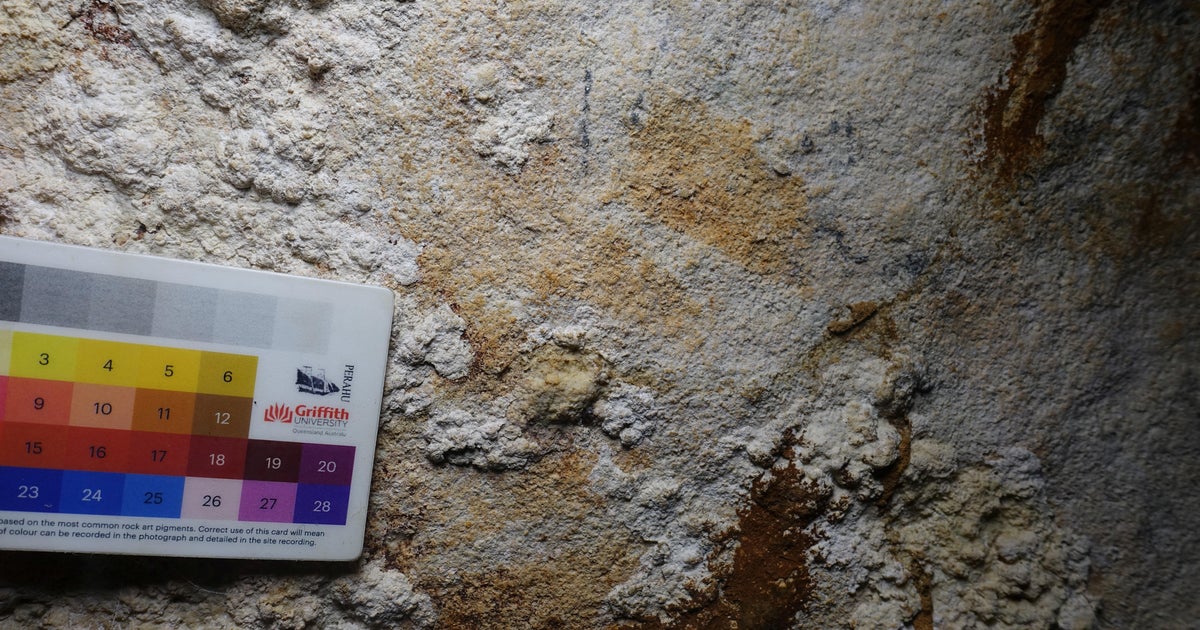
A red stencil of a hand pressed into an Indonesian cave wall is the oldest rock art ever found, scientists said Wednesday, and it sheds light on how people first migrated to Australia.
Cave art dates back at least 67,800 years, according to research published in the journal Nature by a team of archaeologists from Indonesia and Australia.
“We have been working in Indonesia for a long time,” co-author Maxime Aubert of Griffith University in Australia told AFP.
This time they moved to the caves on the island of Muna in the province of Sulawesi on the advice of Indonesian archaeologist Adhi Agus Oktaviana, the lead author of the study.
There they found “negative handprints, stenciled, probably using red ochre,” Aubert said.
The fingers of one of the hands were “retouched to point like claws — a style of painting seen only in Sulawesi,” the Canadian archaeologist said.
Study co-author Adam Brumm told Reuters that the claw-shaped drawing “has deep cultural meaning but we don’t know what that was.”
“I suspect it had something to do with the relationship these ancient people had with animals,” Brumm told Reuters.
Maxime Aubert/Handout via Reuters
To determine the age of the artefacts, the team took five-millimeter samples of “cave popcorn,” which are small clusters of calcite that form on limestone cave walls.
They then combined layers of rock with a laser to measure how uranium decayed over time, compared to a more stable radioactive element called thorium.
This “highly accurate” method gave scientists a minimum age for the painting, Aubert explained.
At 67,800 years old, the Indonesian stencil is more than a thousand years older than other hand stencils found in a Spanish cave attributed to Neanderthals. But the dating of that cave art is “controversial,” the study warns.
The new discovery is also more than 15,000 years older than previous artefacts found in the Sulawesi region by the same group.
Scientists also discovered that the Muna caves were used for rock art many times over a long period of time.
Some ancient art was painted up to 35,000 years later, Aubert said.
A fork in the road
Besides setting a new record, the art also provides clues to a long-standing historical mystery.
Scientists are divided on how Homo sapiens began their journey from Asia to Australia.
They could have taken the northern route, sailing across the Indonesian islands including Sulawesi to Papua New Guinea.
These ancient people could not travel all the way — at that time, Papua New Guinea and Australia were both part of a large continent called Sahul.
Or the migrants could have taken the southern route, passing through the islands of Sumatra, Java and Bali before heading to Timor. Then it was necessary to board a boat to finally reach Australia.
“These paintings provide the first evidence that modern people were in these Indonesian islands at that time,” said Aubert.
The discovery also “underpins the idea that people came to Australia via Papua, perhaps 65,000 years ago,” he said.
But it would not be ruled out that other people were also on their way to Australia via the southern route at the same time, he added.
The researchers also say that the paintings were most likely created by people with close ties to the ancestors of the Australian Aborigines.
In 2018, Aubert led a team of scientists who discovered the the oldest known example of animal painting: a red silhouette of a bull-like beast on the wall of a unique Indonesian cave. Researchers say the painting was at least 40,000 years old, slightly older than the similarities drawings of animals found in famous caves in France and Spain.
Cave paintings of prehistoric marine life — dating back more than 30,000 years — have also been made located under the Mediterranean Sea from the south of France.